

If you run a surf school, a surf shop, a beachfront hostel or a blog, you probably get asked the same thing every day: are there waves? Starting today, you can answer that right on your own website, with the Lineup forecast for any spot you want. It's free and it updates itself.
How it looks on your site
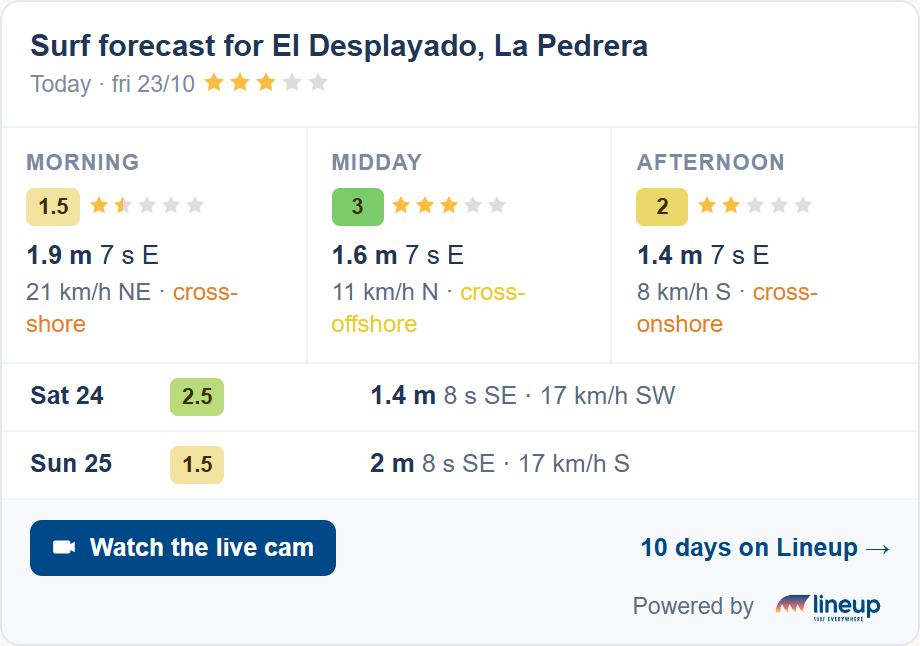
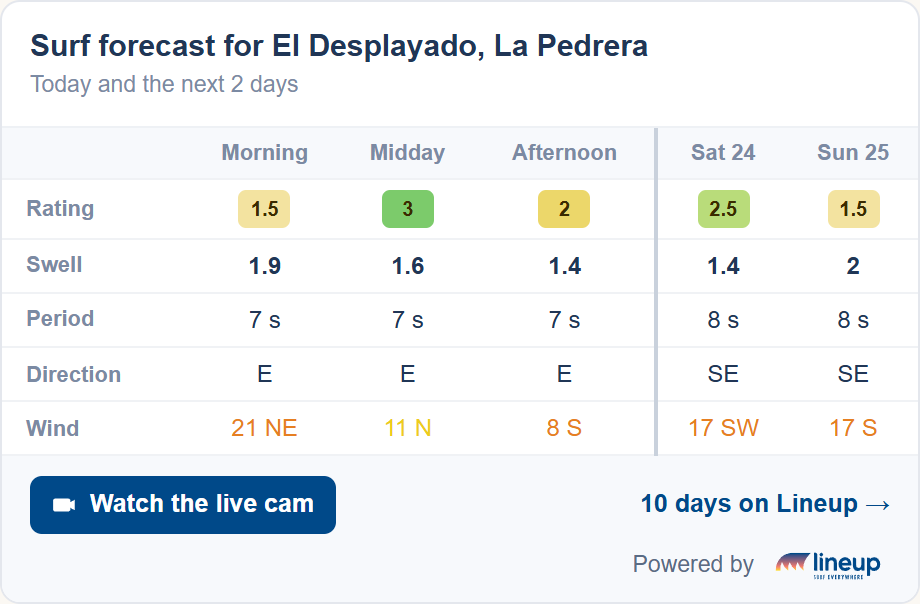
The forecast sits inside your page, as just another part of your website: it's not a pop-up window or an ad. It shows today in three time slots (morning, midday and afternoon), with the rating, swell height, period and direction, and wind, plus one row for each of the next two days. If the spot has a cam, it adds a button to watch it live on Lineup.
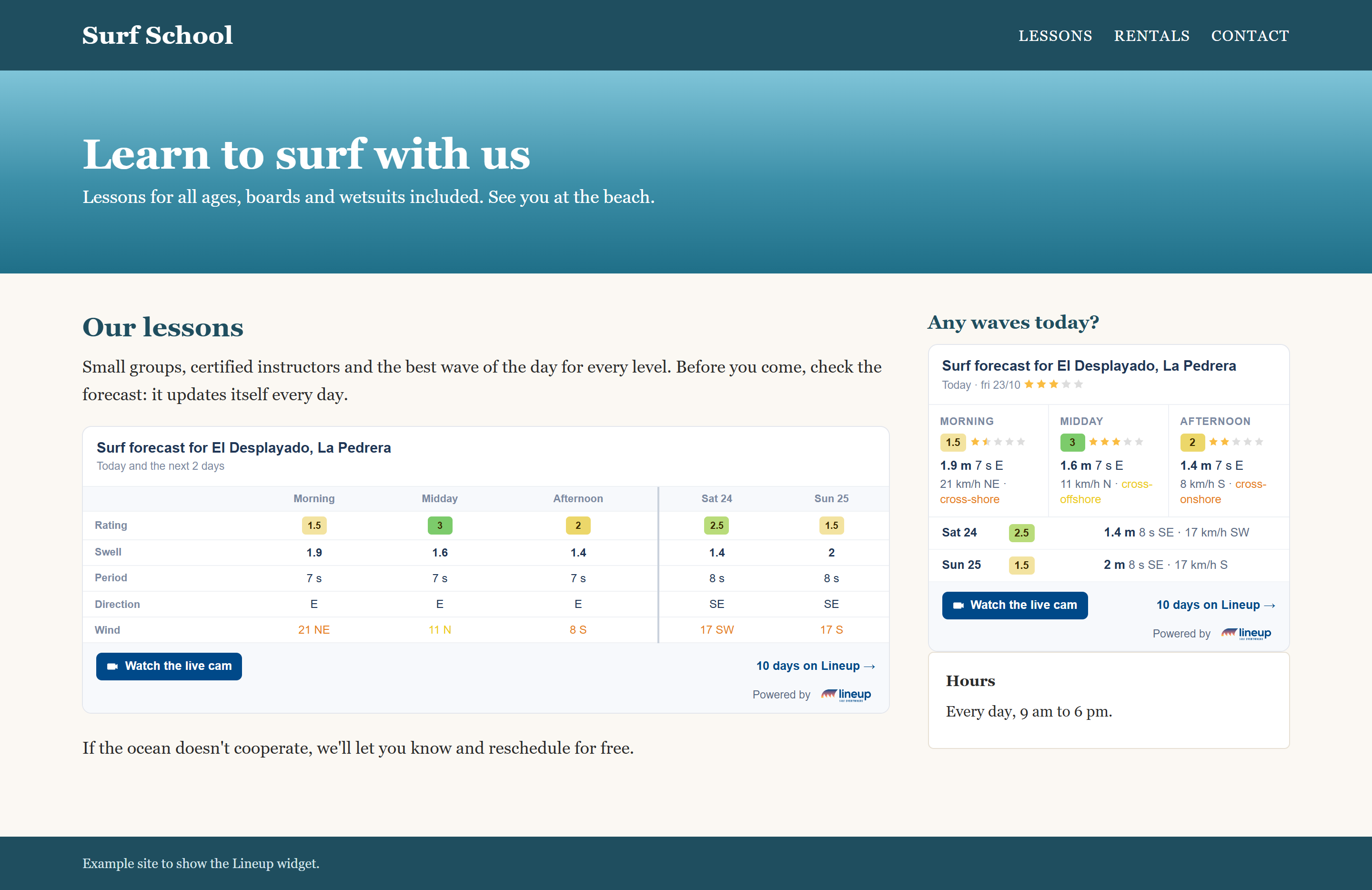
Two formats: card or table
- The card, for a sidebar or the side of a page. It's the default option.
- The table, Windguru-style, with the hours in columns, for the main body of a forecast or lessons page.
Both automatically fit the width of wherever you paste them, from 300 px, and on mobile they're fully readable, no scrolling sideways. And they're available in Spanish, Portuguese and English.
How to set it up, in three steps
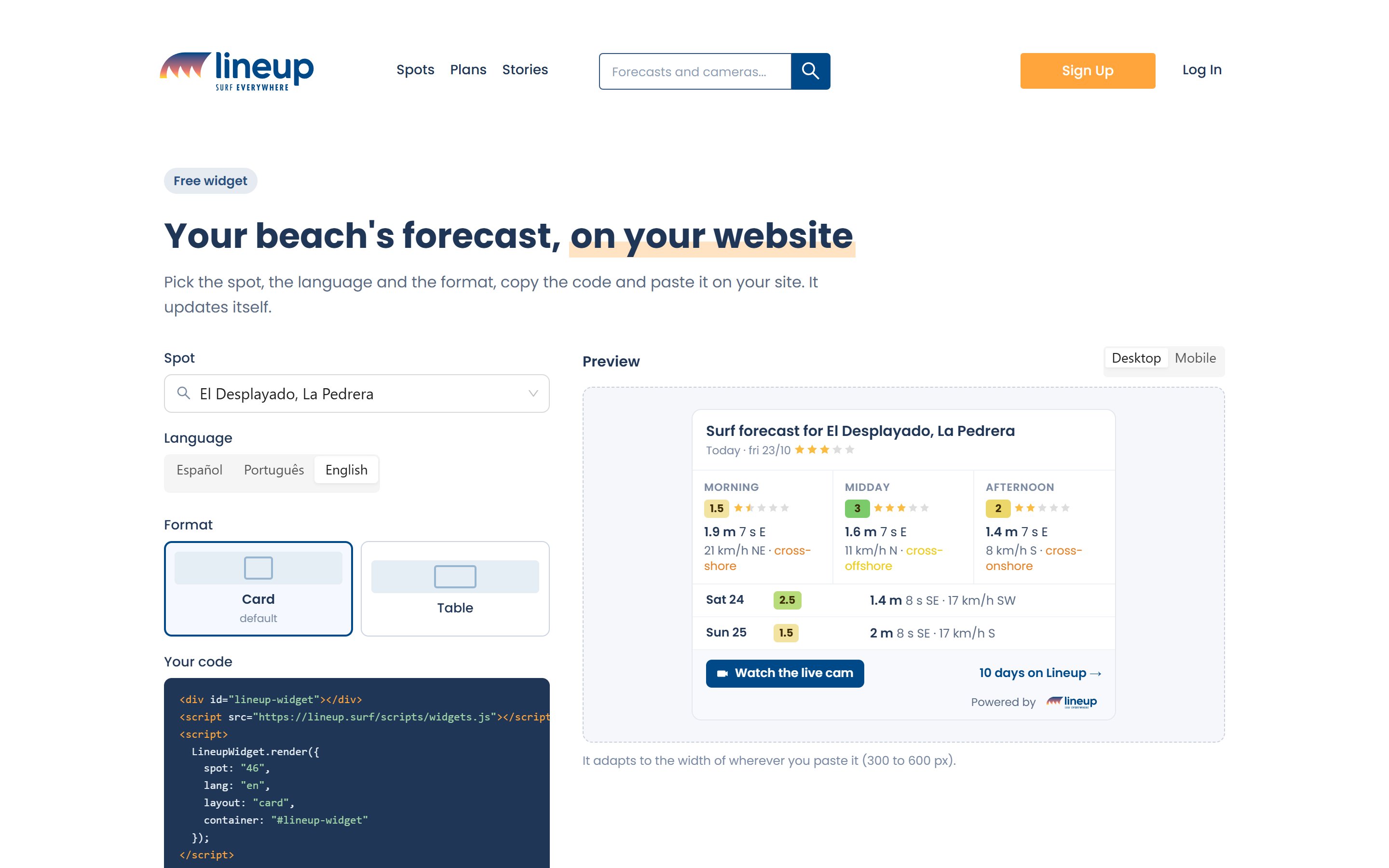
- Go to your spot's page and tap Share > Embed on your website. Or use Widget for your website, at the bottom of any Lineup page.
- Pick the spot, the language and the format. On the right you'll see how it will look, on desktop and on mobile.
- Tap Copy code and paste it into your site. It works on WordPress, Wix, Squarespace or any HTML page.
You don't need a Lineup account, and you never have to touch it again: the forecast updates itself, every day.
What's in it for your website?
Your students, customers or readers get the forecast right there, without leaving to look it up somewhere else. And if they want more, one tap takes them to the 10-day forecast or the live cam on Lineup.
Build the widget for your spot and add it to your website today.