


Until now, on Lineup you checked the ocean spot by spot. You knew what was going to happen at your beach, but not where that swell was coming from or how it was going to get there.
Now you can see the whole picture. Charts is Lineup's forecast map: swell and wind for the entire planet, animated, for the next few days. It's in the Lineup menu (at the top on desktop, at the bottom on your phone) and it's free.
The whole world's ocean, in motion
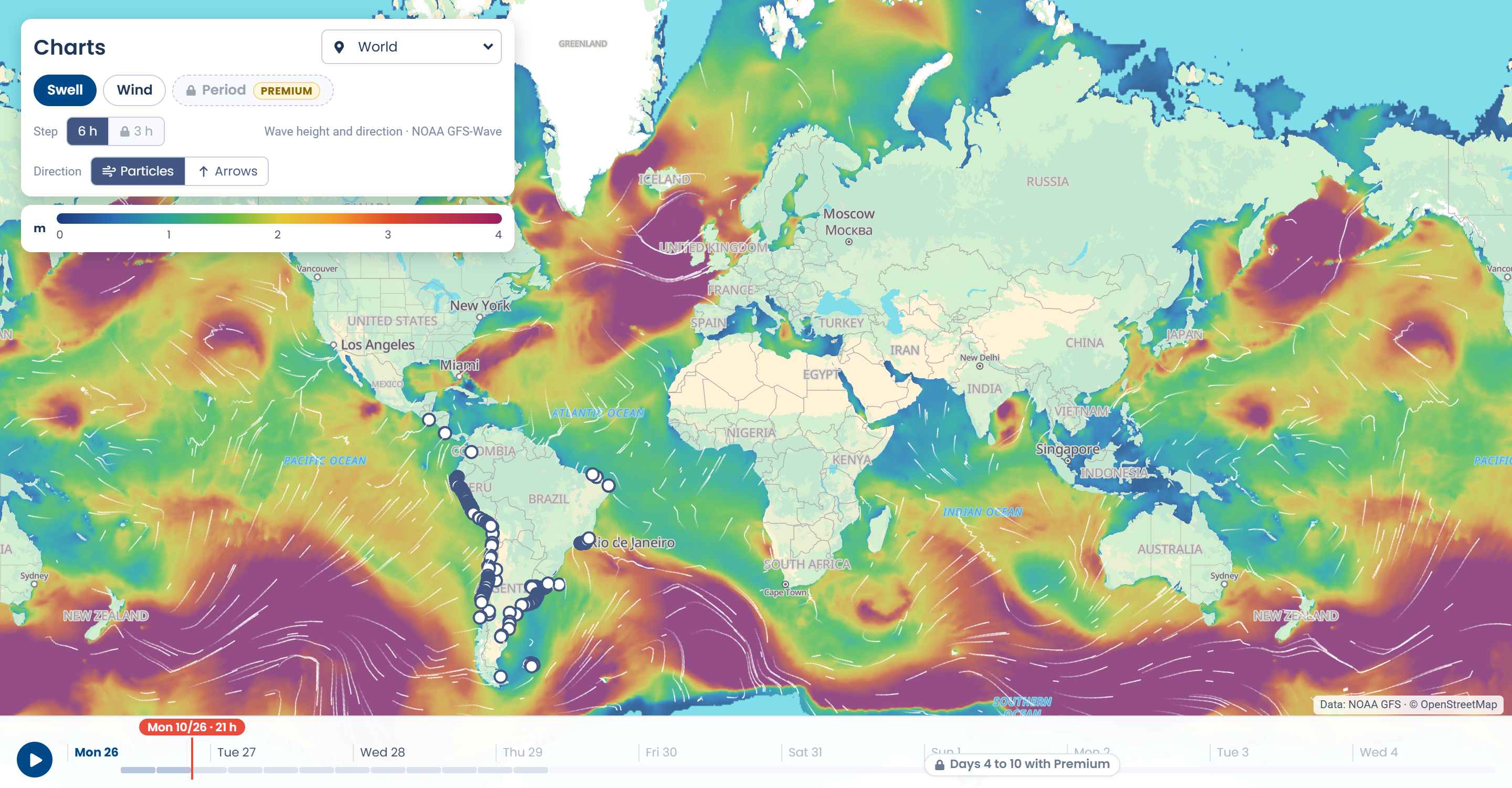
Open Charts and you'll see the ocean colored by wave height, with particles moving in the direction the swell is heading. That way you can see where a storm is coming from, how long it'll take to arrive and which coast it's going to hit first. If you'd rather have something more static, switch the particles to arrows.
Pick your region
The selector is in the top left: World, South America, Central America, North America, Europe, Africa, Indonesia, Australia, and the countries where we surf (Uruguay, Argentina, Brazil, Chile and Peru). Charts opens on your region and from there you can move wherever you want: the map has detail for every coastline.
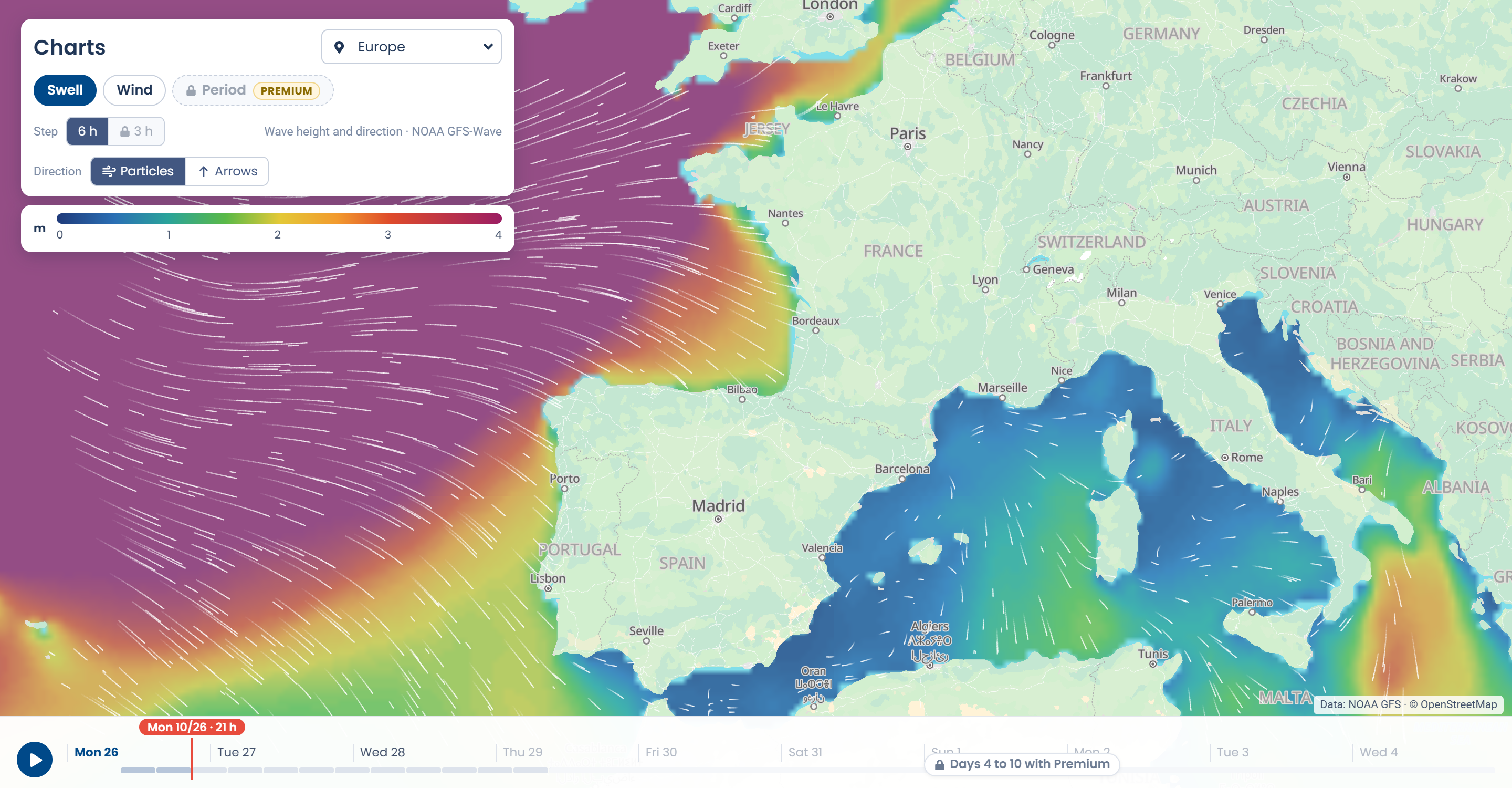
Swell and wind, plus the timeline
One tap switches you from swell to wind. At the bottom is the timeline: drag it or hit play and watch how the ocean changes over the days.
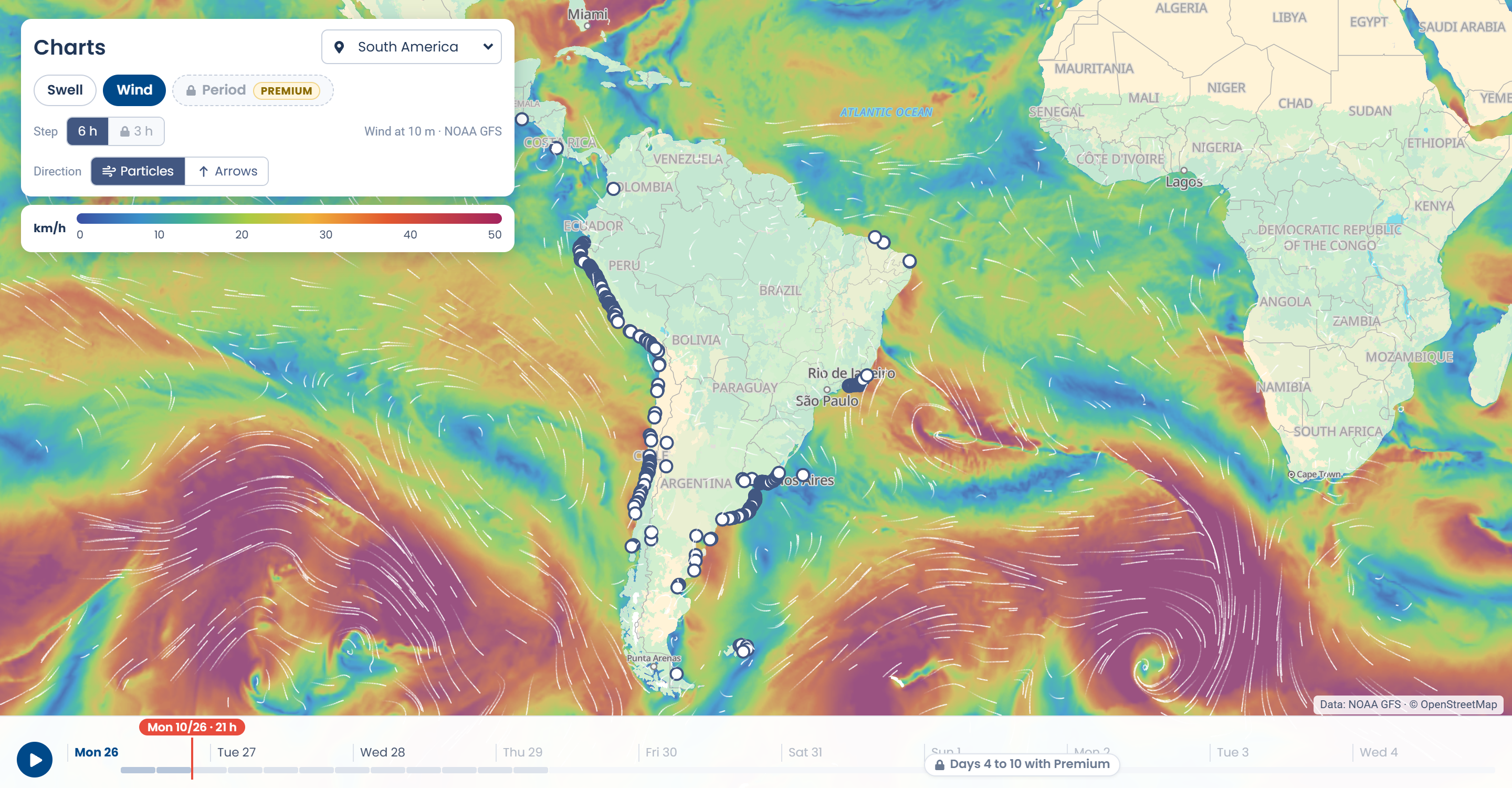
Lineup's spots are on the map: tap one and go straight to its forecast.
Same on your phone
Charts works on your phone and in the app, with a full-screen map and the controls in a bottom sheet.
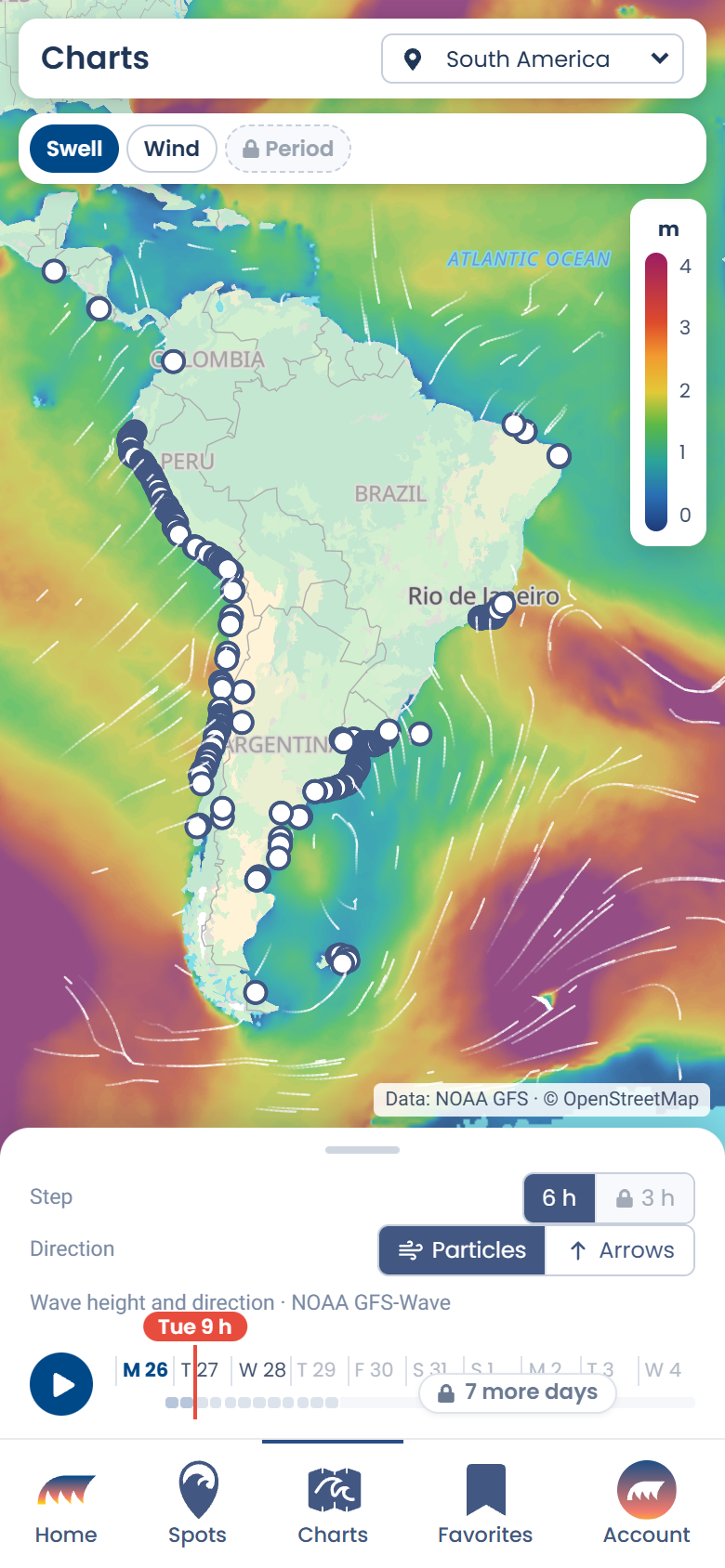
What does each plan get?
- Free: the next 3 days, every 6 hours, with swell and wind. You don't even need to create an account.
- Premium: all 10 days, every 3 hours, plus the period layer (how much energy the swell carries) and Lineup's forecast for each spot right on the map, for the time you're looking at.
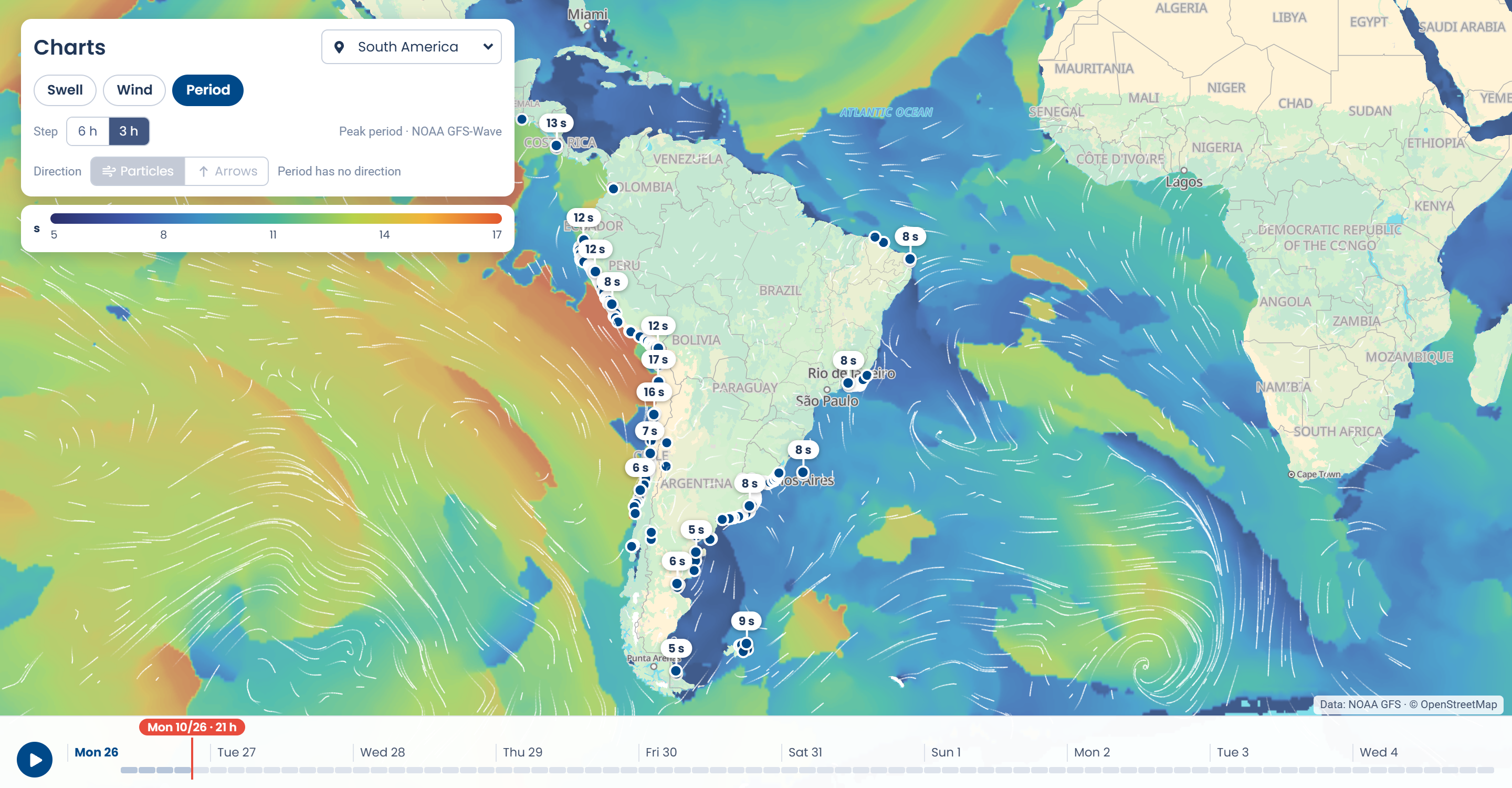
The data comes from NOAA's global models (GFS and GFS-Wave), and the base map from OpenStreetMap.
Open Charts and see what the ocean's doing this week.